

do you have a alpha in your texture
- Welcome, Guest. Please login.
MX Bikes Official Forum
 Show posts
This section allows you to view all posts made by this member. Note that you can only see posts made in areas you currently have access to.
Pages1
2
Track Editing / Re: Resolute MXB Track Builder Helper - V.1.0.21 (Update MAR 22, 2021)
March 23, 2021, 07:51:39 PM
for some reason when i download the update it is giving me the v.1.0.18
4
Bikes / bike number plates
March 19, 2021, 01:58:27 AM
I have searched and searched and can't find what I am looking for. I have the model of the 2021 crf450 and wanted the pc exhaust on it. I have it in game but can't figure out what to do with the model in blender to get the numbers to work in game. I made plates for the side plates and front plate but can't get them to work in game. Any help would be great
5
Suggestions and wishlist / Re: rotating objects
February 20, 2021, 08:45:26 PM
i thought i tried that lastnight will try it again tonight thank you for your help
6
Suggestions and wishlist / Re: rotating objects
February 20, 2021, 07:59:36 PMQuote from: 𝖙𝖋𝖈 on February 20, 2021, 07:27:24 PMi thought that to. i am using blender and have the orgin set at zero do i need the object at zero also or where it is located on my trackQuote from: suzuki98 on February 20, 2021, 05:15:37 PMworking on a tower object for supercross that i want the sign to spin and no matter what i try i can get it to rotate but not spin where it is standing.
Sounds to me like an origin problem. It will rotate around the objects origin. In blender you can move the origin easily, not sure about other software..
7
Suggestions and wishlist / Re: rotating objects
February 20, 2021, 05:15:37 PMQuote from: PiBoSo on January 17, 2020, 11:13:43 PMworking on a tower object for supercross that i want the sign to spin and no matter what i try i can get it to rotate but not spin where it is standing.Quote from: Niko Mouk on January 16, 2020, 08:54:01 AMDevelopers, I got to push on this request, we need it for some cool scenes.
First of all, the object must be exported as EDF in the track folder.
Then, the SCR file of the track must be edited or created ( using the folder name as filename ).
Example SCR file that adds a rotating object ( obj2 ), using "Nevada_18" as the base:Code Selectobj0
{
flag = 1
name = *flag_country_big.edf
paint = flag_usa.pnt
data = flag.cfg
pos = 98.09, 25, 55.93
}
obj1
{
flag = 1
name = *flag_country_big.edf
paint = flag_usa.pnt
data = flag.cfg
pos = 98.09, 25, 76.93
}
obj2
{
name = filename.edf
rot_axis = 1, 0, 0
rot_time = 5000
pos = 100, 10, 60
rot = 90, 0, 0
radius = 10
}
The three parameters of "rot_axis" and "pos" are X, Y, Z where X+ is right, Y+ is up and Z+ is forward, looking at the map in TrackEd.
"rot_time" is the time, in milliseconds, to complete a full turn.
"rot" sets the local pitch, yaw and roll rotations of the object.
"radius" is the radius, in meters, of the turn. Zero means that the object rotates around itself.
8
Track Editing / wip track
January 26, 2021, 02:52:59 AM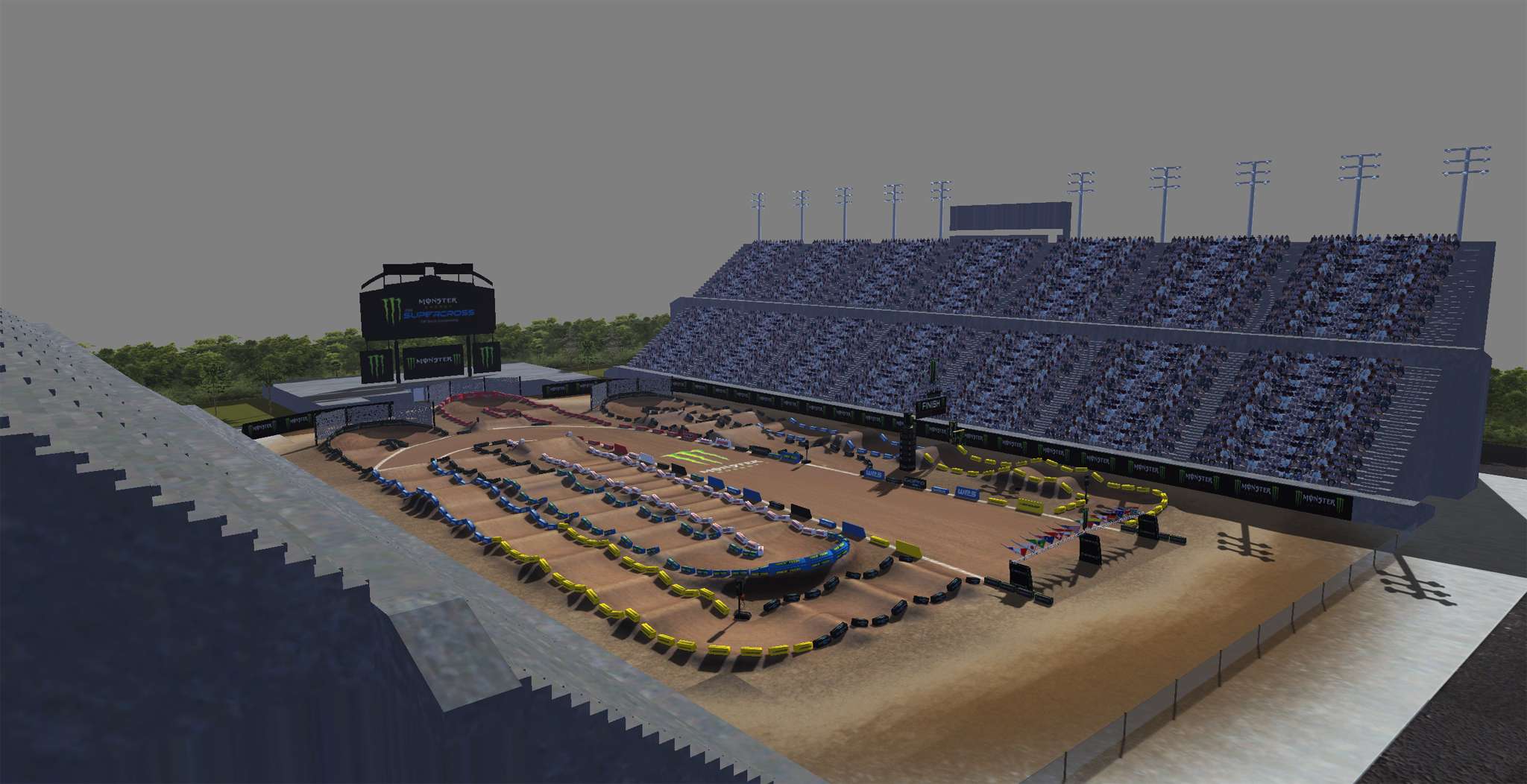
work in progress figured i would try making at track on this game. old mcm2 creator mxatv creator and wanted a try at this game. loving the game
9
Other / Re: [release v1.0] Dunlop Geomax MX33 + Excel Signature rims
November 24, 2020, 11:47:27 PM
I must be doing something wrong I named it wheel.tga and packed it. I put it in the tyres folder but nothing in game. Am I doing something wrong?
Nevermind I figured it out
Nevermind I figured it out
10
Bikes / Re: OEM 2020 - Additional Downloads, Patches and Templates
November 19, 2020, 05:09:12 PMQuote from: iNsane | WW on November 19, 2020, 04:22:04 PMthank you will give that a try when I get home tonightQuote from: suzuki98 on November 19, 2020, 04:07:25 PMrmz_livery.tga
Please compare again.
The template is rmz.psd ... so it has to be rmz.tga
The SXF template is sxf_livery.psd ... that has to turn int sxf_livery.tga


11
Bikes / Re: OEM 2020 - Additional Downloads, Patches and Templates
November 19, 2020, 04:07:25 PMQuote from: iNsane | WW on November 19, 2020, 09:19:25 AMI have read that and named it rmz_livery.tga and name shows in game but the skin does not. I packed it with the tool and no skin shows in game would really appreciate helpQuote from: suzuki98 on November 19, 2020, 07:04:27 AMI am in the process of skinning the 2020 oem rmz450 and I am not sure what to name it. I can get the name I want it to be in game but the skin is not on the bike just the stock skin. What does the tga need to be named?
http://forum.mx-bikes.com/index.php?topic=3455.0#post_psds
Please read below "PSDs"
12
Bikes / Re: OEM 2020 - Additional Downloads, Patches and Templates
November 19, 2020, 07:04:27 AM
I am in the process of skinning the 2020 oem rmz450 and I am not sure what to name it. I can get the name I want it to be in game but the skin is not on the bike just the stock skin. What does the tga need to be named?
Pages1